Yahoo: Email at Its Worst
/There are all sorts of things that people dislike about their email. In general, it all falls into four categories: interface or ease of use, security, privacy, and spam. If you have a Yahoo email account, you are scraping the bottom of the barrel in all four.
Yahoo starting offering email services in 1997. SBC (Southwestern Bell) teamed with Yahoo in 2001, and bought AT&T in 2005 – then renamed themselves AT&T. There are over a dozen AT&T email address that use Yahoo Mail.

AOL and Verizon.net addresses are also part of the Yahoo/AOL mail world, though they are typically accessed through AOL’s mail website rather than Yahoo’s.
So, if you have a Yahoo, AT&T, AOL, or Verizon email address (as well as a few others), you are using Yahoo’s mail services. That is why all these email accounts are fraught with problems.
Yahoo Mail Still Works, Usually
Yahoo Mail still works, but Yahoo accounts have a long security history. Yahoo suffered massive breaches in the 2010s, and old Yahoo addresses are often exposed to password-reuse attacks, phishing, and automated login attempts.
With Yahoo-related accounts, it sometimes feels as if the email password simply stops working. Sometimes the password really is wrong. Sometimes the account has been locked for security reasons. And sometimes, if the account has been hacked, the password may have been changed. In my experience, even though the password is correct, it may just stop working.
The biggest practical problem I see with Yahoo Mail is account recovery
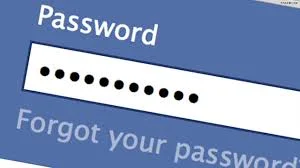
Doing a password reset should be a fairly simple process. Go to the page where you log in, click “Forgot password,” and reset it, usually with two-factor authentication. With an AT&T email account, you are directed to att.com for this process.
AT&T asks for your AT&T ID. For many older AT&T email accounts, that means entering the email address itself. Then it asks for the last name associated with the account. With luck, the next step is a confirmation code sent to your recovery email address or phone number.
The reset process can be maddening, especially if your account was created so long ago that your recovery information is out of date. If the recovery phone number, alternate email address, or security questions are no longer usable, the normal online reset may fail.
Your remaining option may be to fill out AT&T’s email account recovery form. The form is located at att.com/myemailinfo/. AT&T says users who lack account recovery information or cannot reset their password through online self-service should complete the form with details about the email account and recent mailbox activity. If AT&T can validate the account, a customer care agent will contact you to help regain access. But this may take more than a week.
I only discovered this form when talking to AT&T Email Support at 800-288-2020. The form exists online, but it is not easy to find.
That is not unique to Yahoo. Google, Apple, Microsoft, and other companies also make account recovery difficult when the recovery information is out of date. But with Yahoo accounts, the problem often seems worse because many of these accounts are old. The recovery phone number may be from decades ago. The backup email may no longer exist. The security questions, if they were used years ago, may be forgotten or unreliable.
When a Yahoo account is locked, the person is often not just locked out of email. They may also be locked out of password resets for other services that still use that Yahoo address.
If you get to the point where you need to fill out the recovery form, it is time to start using a new email address while you wait to see if you can ever use your old one again. You can get a free Gmail address in minutes. If you have privacy concerns about using Google services, I suggest getting a Proton Mail account. Proton Mail has a free tier and is more privacy-focused than most mainstream email services. You can continue to use the new Proton Mail or Gmail account from Apple Mail on your Mac, or through webmail. Proton also offers a free Mac app.
A Yahoo Password Reset May Not Make Your Email Work
Many people do not want to use Yahoo’s website. They want Yahoo Mail to work in Apple Mail, Outlook, or another mail app.
Yahoo can work with mail apps, but it is not always as straightforward as people expect. Depending on the app and security settings, you may need OAuth sign-in, an app password, or, in the case of AT&T-related email, a secure mail key. These methods can improve security, but they are confusing for ordinary users.
Why Folks Keep Their Yahoo Email Service
Most people know that Yahoo is not the best email account to have. I suggest to all my clients that they find an alternative to Yahoo, AOL, or EarthLink. But there are challenges to changing your email address. Your friends have it. Websites like Amazon have it. And a million parts of your life are associated with it. I can help you with this transition, but it still takes work.
Xfinity Is Moving Comcast Email to Yahoo
As if Yahoo Mail did not already have enough history, Xfinity is moving Comcast.net email accounts to Yahoo Mail.
This does not mean that your email address at comcast.net will change. But it will become a Yahoo Mail experience, similar to AT&T email. In email programs like Apple Mail, references to Xfinity email servers will need to be switched to Yahoo servers. Your email may stop working in those programs until this is accomplished.
Xfinity says the migration started in June 2025, and that invitations will roll out gradually through 2026. In other words, Comcast.net users are not all being moved at the same time.
I have helped clients migrate their comcast.net email accounts to Yahoo Mail. There are some hoops to jump through, especially if you are using Apple’s Mail program.
Worse, I have had a client who received a fake scam email threatening that they would lose their comcast.net email account if they did not migrate to Yahoo within 30 days. So if you receive an email about moving your Comcast.net email to Yahoo Mail, be careful. Do not click a link in a threatening email. Go directly to Xfinity’s website or talk to their technical support, if you can get through, and verify what is happening.
Suggestions
If you have an account that uses Yahoo Mail services, start using an alternate email address for new communications. Plan to phase out your dependence on Yahoo Mail before your email is compromised.
Use another email account you already have, but avoid Comcast, AOL, or EarthLink.
If you need a new email address, create a new Gmail account or, better yet, get a free Proton Mail account.
Over time, you can have your most frequent contacts start using your new email address. Then, if disaster strikes with Yahoo, you will be in much better shape.